Application Architecture
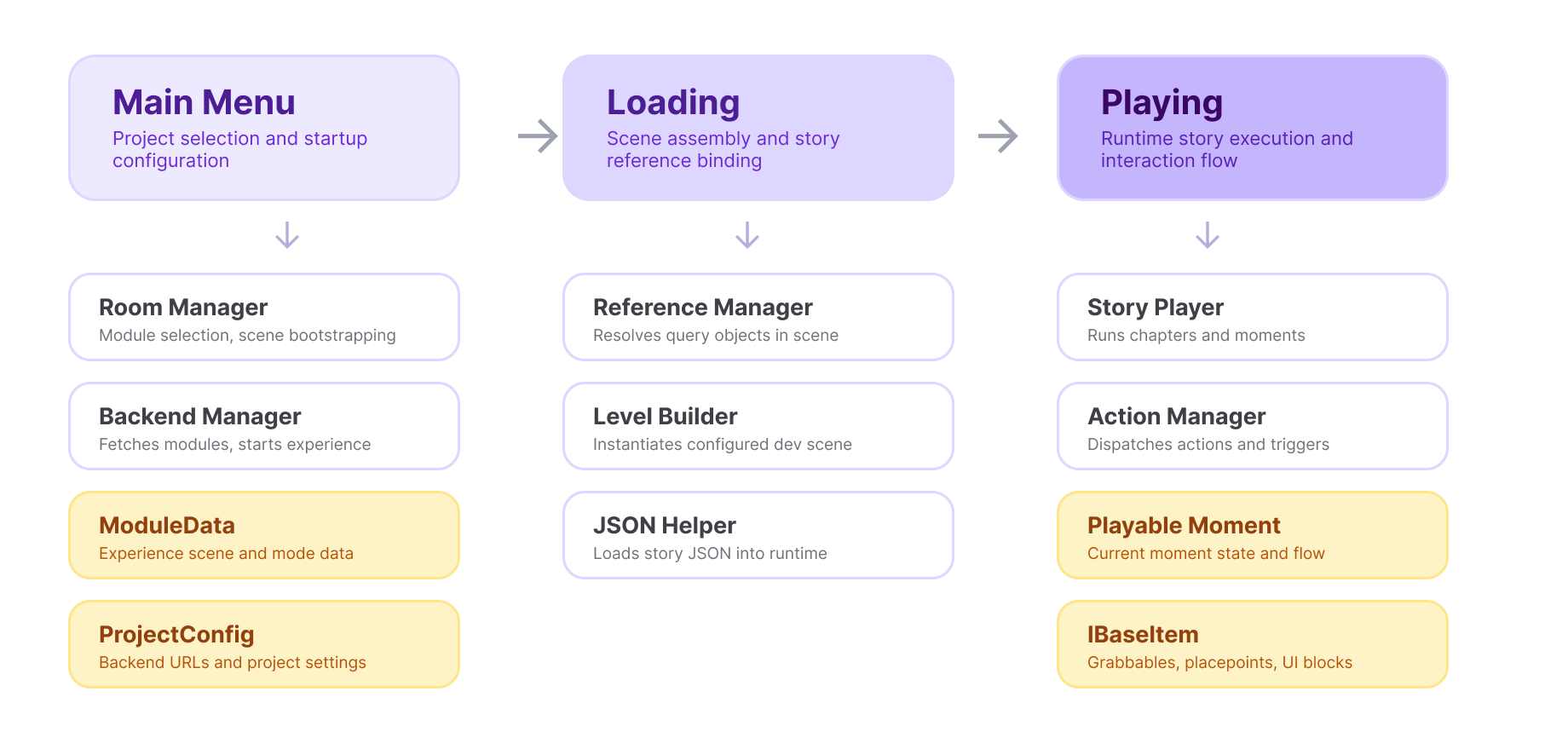
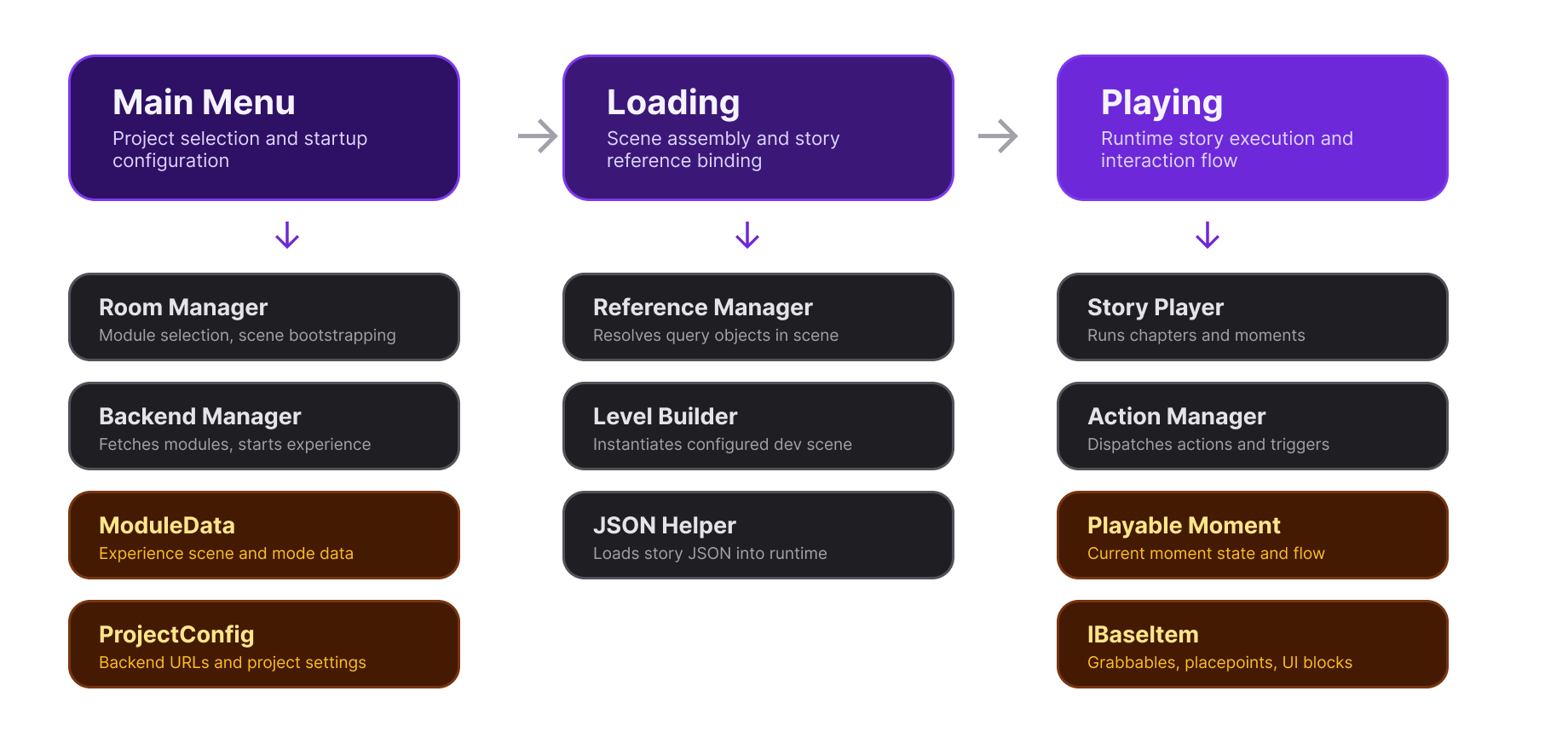
The VRseBuilder application layer connects the menu, scene loading, story JSON, scene references, and runtime story playback into one playable VR experience.
Most projects move through three runtime phases:
- Main Menu selects the module and stores the project/session configuration.
- Loading builds the experience scene, resolves query objects, and loads story JSON.
- Playing runs the active story moment, dispatches actions, listens for triggers, and advances the story.
Main Menu Phase
The main menu phase chooses which experience to load.
RoomManager keeps the active ModuleData, applies the application state, and loads the configured experience scenes. It also owns the RoomManagerConfig and ProjectConfig references used by the menu scene.
BackendManager handles backend-driven experience selection and starts the selected experience through RoomManager.
Key data objects:
ModuleData: module and experience scene data.ProjectConfig: backend URLs and project-level settings.RoomManagerConfig: scene lists and room/module configuration.
Loading Phase
The loading phase turns configuration into runtime objects.
LevelBuilder prepares the story path, spawns configured systems when needed, waits for ReferenceManager setup, then loads the playable story.
ReferenceManager resolves scene objects at runtime. It tracks query objects, player references, SFX/VO systems, UI systems, grabbables, place points, touchables, and other base interaction objects.
JsonHelper converts story JSON into runtime playables, including PlayableStory, PlayableMoment, actions, and triggers.
Playing Phase
The playing phase executes the story.
StoryPlayer loads a PlayableStory, selects the current PlayableMoment, starts the moment, and advances when right triggers complete.
ActionManager queues and plays actions in sequence. If an action waits for completion, the manager listens for the action end event before moving to the next action.
PlayableMoment is the executable unit of story flow. It owns the moment's lifecycle sections: awake actions, start actions, right trigger sets, wrong trigger sets, warning actions, and end actions.
Runtime interaction objects implement interfaces such as IBaseItem, IGrabbableWrapper, and IPlacePointWrapper, letting story nodes target real scene objects through queries.
What You Configure
As a module author, most work happens around these connections:
- Add Dev Scene and Art Scene references to the module configuration.
- Convert scene objects into queryable VRseBuilder objects.
- Configure actions and triggers for each moment.
- Test the flow in Unity Play Mode.
- Build the final headset application.
If you are new to the story runtime, start with the Story System introduction. It explains chapters, moments, actions, triggers, and queries.