> ## Documentation Index
> Fetch the complete documentation index at: https://docs-vrsebuilder.autovrse.app/llms.txt
> Use this file to discover all available pages before exploring further.
# Non-Technical Editor (List View)
> View only the high level information of your story
This view enables viewing and editing a generated story without delving into [design nomenclature](../design-system) of moments and chapters. This view is useful for non-technical team members who would like to make high-level story edits quickly.
### Abstracted View
This view of the story provides high level information about the story, chapters, and moments. While some variables are editable in this view, it provides limited control of actions and triggers
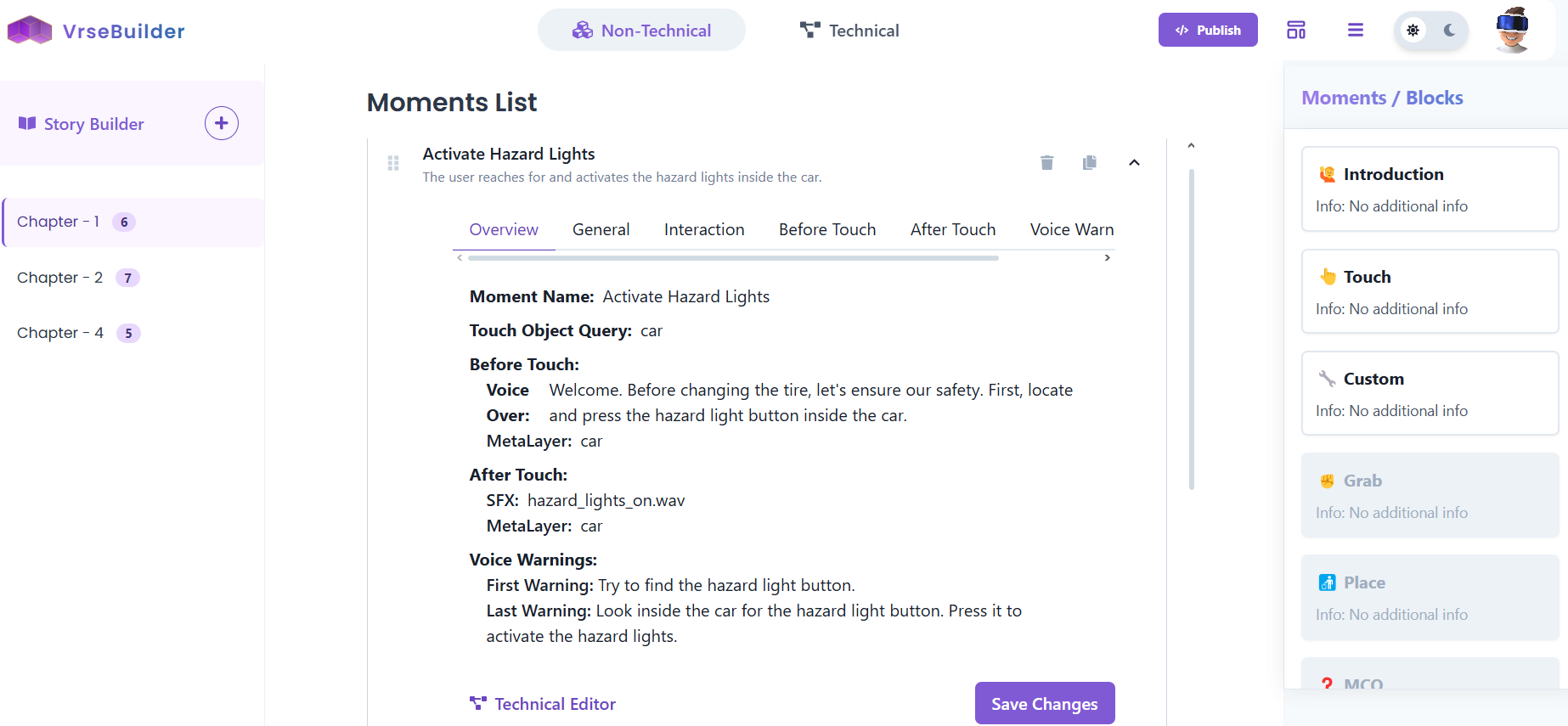 Example Breakdown of a **Touch Block**\
\
**General**\
Change moment name and description
**Interaction**\
Change the Query Object for the Trigger of this moment\
eg: Object X has to be touched in Moment 1, so Object X is the query object
**Before Touch**\
Actions to be taken before the user touches the query object
**After Touch**\
Actions to be taken after the user touches the query object
**Voice Warning**\
Voice over text if the user does not perform any action for 'n' seconds
### Notes
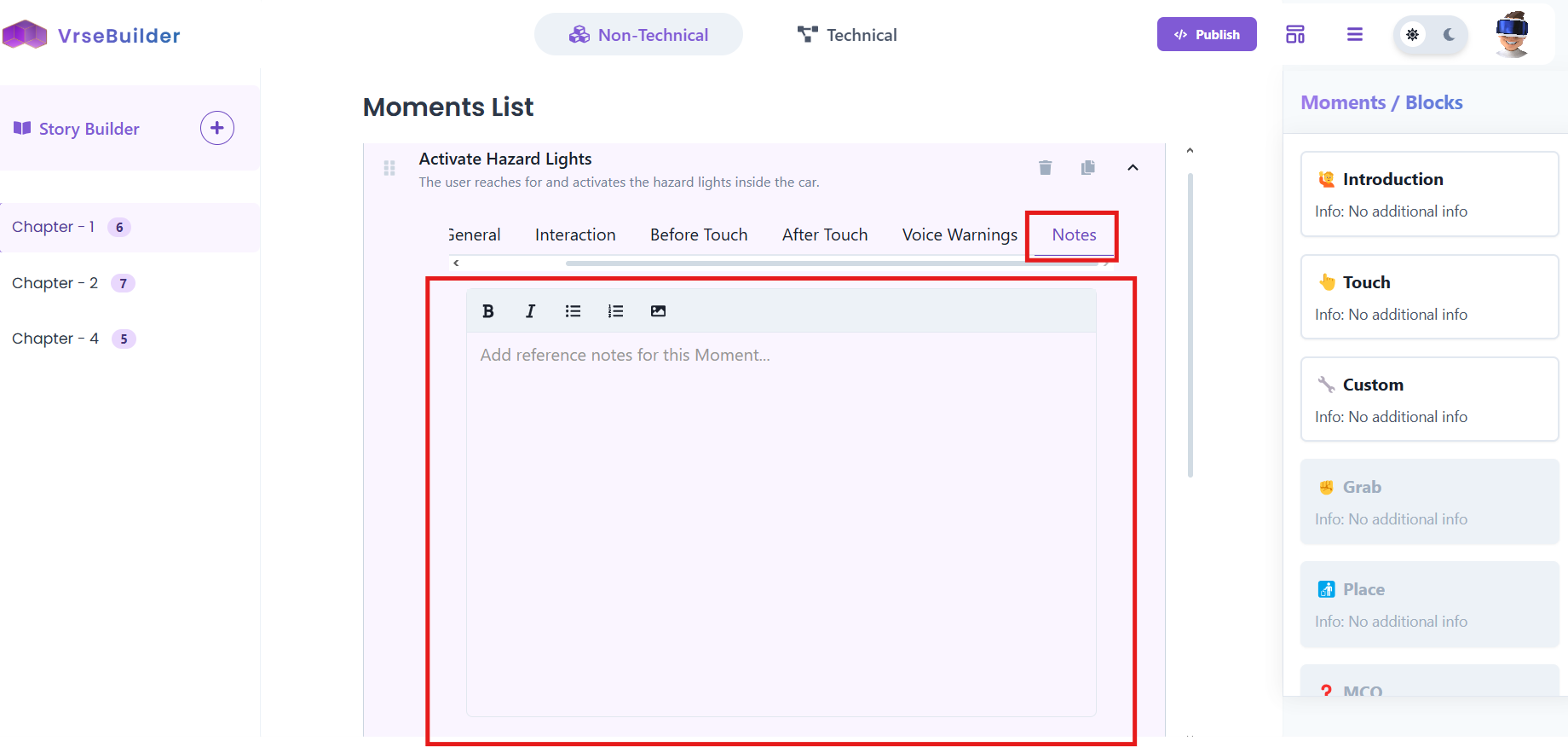
Each moment includes a notes tab, that allows you to save notes, comments, or other information in that will be saved across sessions.
Example Breakdown of a **Touch Block**\
\
**General**\
Change moment name and description
**Interaction**\
Change the Query Object for the Trigger of this moment\
eg: Object X has to be touched in Moment 1, so Object X is the query object
**Before Touch**\
Actions to be taken before the user touches the query object
**After Touch**\
Actions to be taken after the user touches the query object
**Voice Warning**\
Voice over text if the user does not perform any action for 'n' seconds
### Notes
Each moment includes a notes tab, that allows you to save notes, comments, or other information in that will be saved across sessions.