> ## Documentation Index
> Fetch the complete documentation index at: https://docs-vrsebuilder.autovrse.app/llms.txt
> Use this file to discover all available pages before exploring further.
# Technical Editor (Graph View)
> In depth editing of the story and its nodes
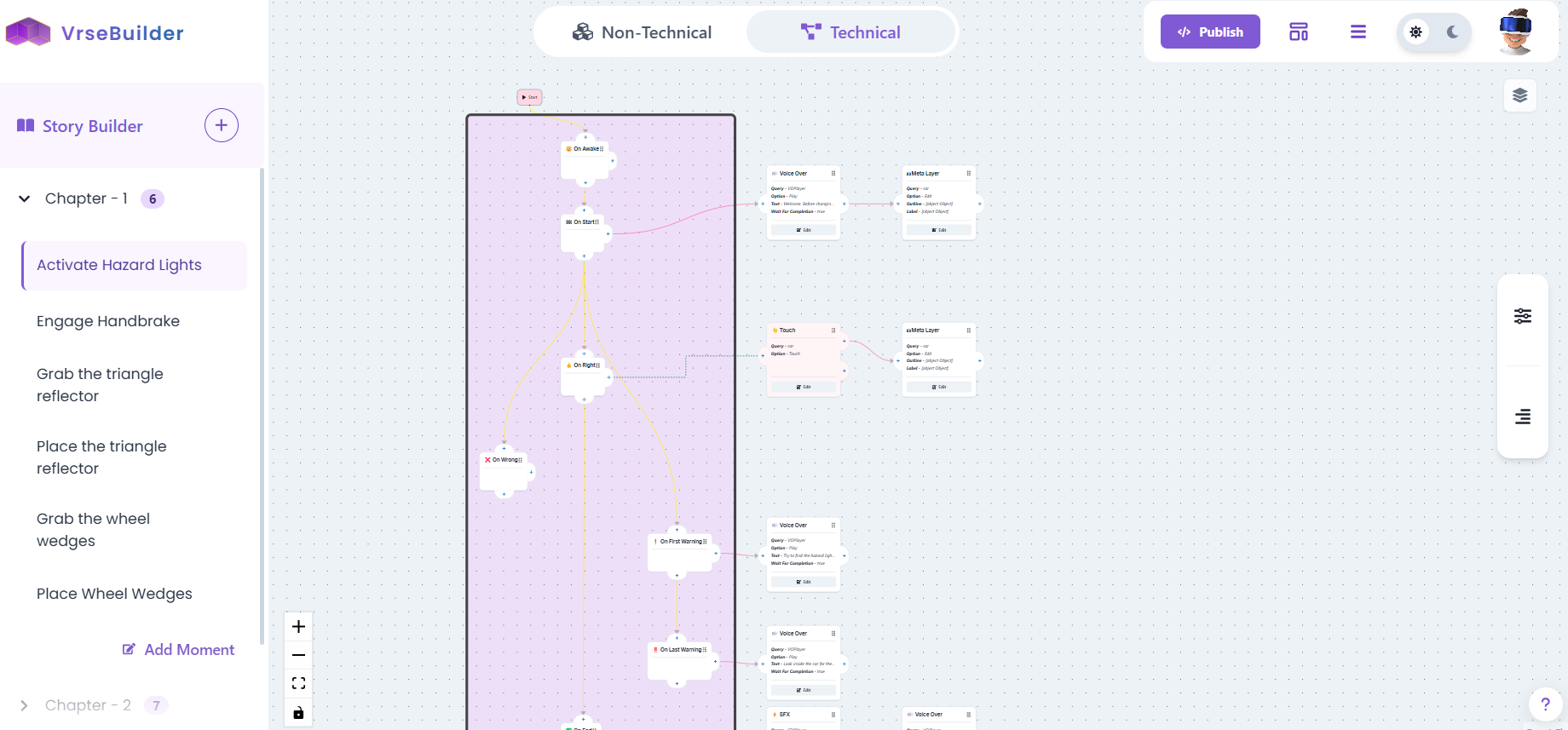
This view provides a complete view of each moment, including, the moment lifecycle and the actions and triggers that have been assigned.
 ### Basics of Using the Technical Editor
**Controls**
* Backspace to delete a node or node connection
* To create a new connection, left click on the '+' icon on the node and drag and drop on another node's input
**Connections**
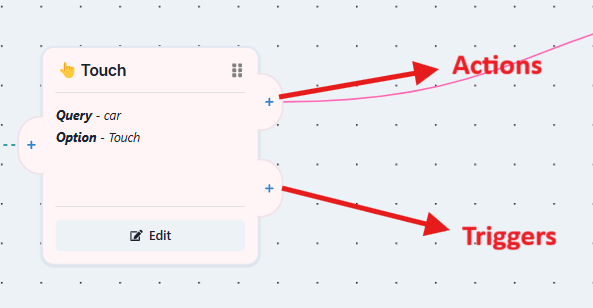
Triggers are the red colored nodes, they have two outputs; actions have only one.
* The upper '+' is for actions to be done after that trigger is executed
* The lower '+' is for adding more triggers to the list
* Each trigger can have its own set of actions
### Basics of Using the Technical Editor
**Controls**
* Backspace to delete a node or node connection
* To create a new connection, left click on the '+' icon on the node and drag and drop on another node's input
**Connections**
Triggers are the red colored nodes, they have two outputs; actions have only one.
* The upper '+' is for actions to be done after that trigger is executed
* The lower '+' is for adding more triggers to the list
* Each trigger can have its own set of actions
 **Edit**
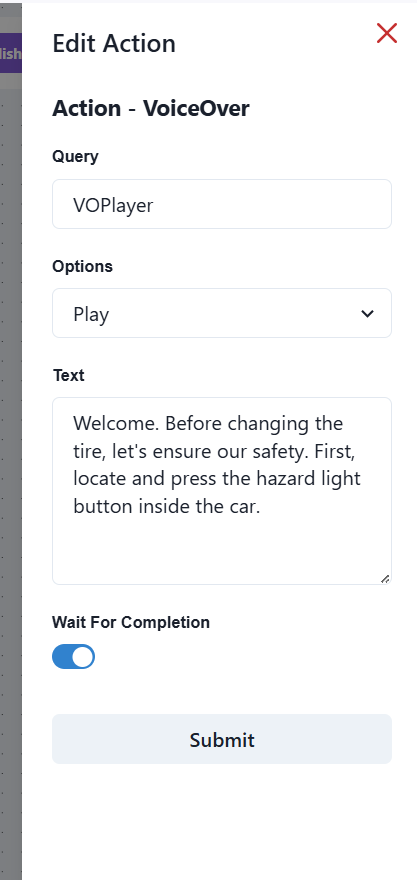
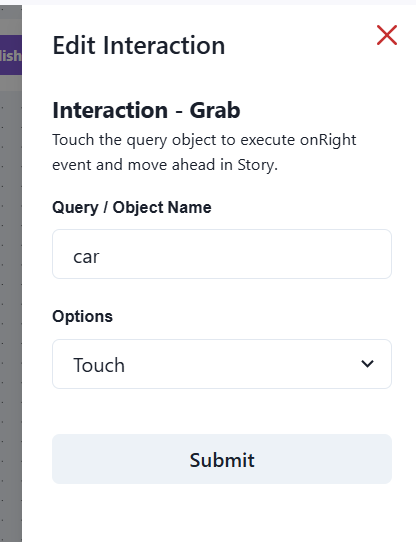
To make further edits to an action or trigger, click on the node, and then click '**edit**' to pop up a toolbar.
**Edit**
To make further edits to an action or trigger, click on the node, and then click '**edit**' to pop up a toolbar.
 Any unconnected nodes will be deleted upon saving the story
**Moving Nodes**
* You can move around any node by simply clicking and holding the top right area of any node
* You can copy/cut one or more nodes and paste them anywhere on any graph
### Actions and Triggers Toolbar
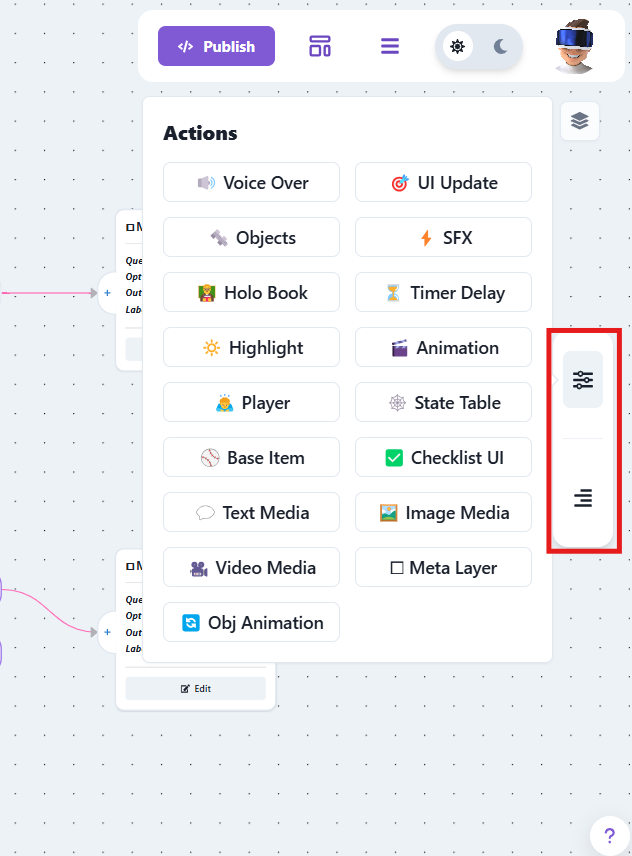
The right side of the graph has a toolbar that contains a list of all available actions and triggers.
Any unconnected nodes will be deleted upon saving the story
**Moving Nodes**
* You can move around any node by simply clicking and holding the top right area of any node
* You can copy/cut one or more nodes and paste them anywhere on any graph
### Actions and Triggers Toolbar
The right side of the graph has a toolbar that contains a list of all available actions and triggers.